 6d8d77ee8f
Swap the icons so they show the current state instead of target state.
- When viewing incoming calls: show incoming icon (with "Show Outgoing Calls" title)
- When viewing outgoing calls: show outgoing icon (with "Show Incoming Calls" title)

This matches VS Code's convention where toggle buttons display the current
state icon with the action title being the target state.

Fixes the issue where the icon showed the opposite of what was being displayed.

Co-authored-by: jrieken <1794099+jrieken@users.noreply.github.com>
References View
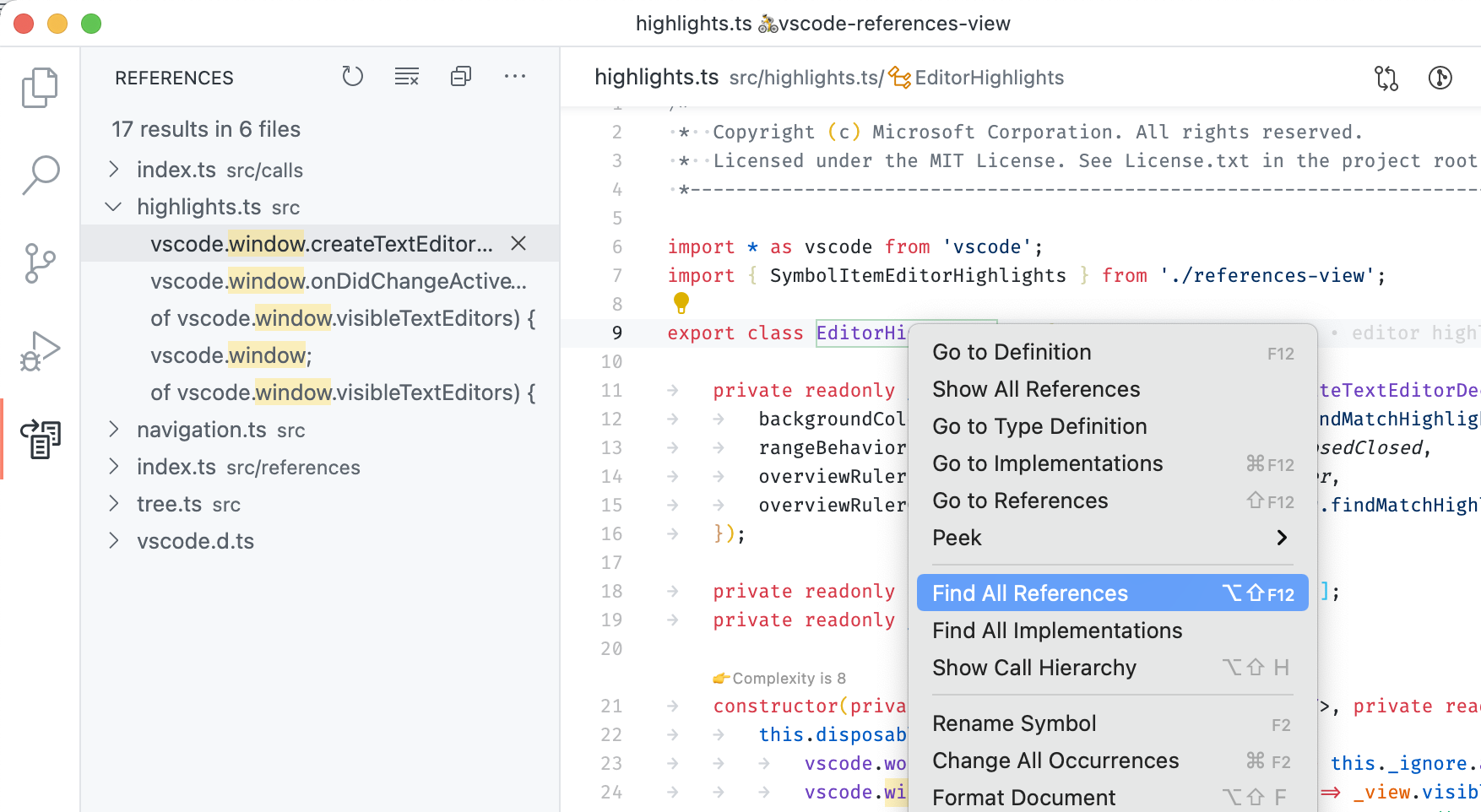
This extension shows reference search results as separate view, just like search results. It complements the peek view presentation that is also built into VS Code. The following features are available:
- List All References via the Command Palette, the Context Menu, or via Alt+Shift+F12
- View references in a dedicated tree view that sits in the sidebar
- Navigate through search results via F4 and Shift+F4
- Remove references from the list via inline commands
Note that this extension is bundled with Visual Studio Code version 1.29 and later - it doesn't need to be installed anymore.
Requirements
This extension is just an alternative UI for reference search and extensions implementing reference search must still be installed.
Issues
This extension ships with Visual Studio Code and uses its issue tracker. Please file issue here: https://github.com/Microsoft/vscode/issues
Contributing
This project welcomes contributions and suggestions. Most contributions require you to agree to a Contributor License Agreement (CLA) declaring that you have the right to, and actually do, grant us the rights to use your contribution. For details, visit https://cla.microsoft.com.
When you submit a pull request, a CLA-bot will automatically determine whether you need to provide a CLA and decorate the PR appropriately (e.g., label, comment). Simply follow the instructions provided by the bot. You will only need to do this once across all repos using our CLA.
This project has adopted the Microsoft Open Source Code of Conduct. For more information see the Code of Conduct FAQ or contact opencode@microsoft.com with any additional questions or comments.